Mission
Product Mission
"Typid helps event organizers sell tickets, manage attendees, and run better events — simply."
Three Pillars
Simple
Event management is already complicated. Typid shouldn't add to that. Every screen, flow, and feature should feel obvious on first use.
In practice: Reduce steps. Show defaults. Hide complexity until it's needed. Use plain language.
Reliable
When an organizer is managing check-in for 800 people, they need to trust their tools completely. Typid shows up every time.
In practice: Stable UI patterns. Predictable behavior. Clear feedback on every action. No silent failures.
Organizer-first
We build for the person selling the tickets before we build for the person buying them. The organizer's experience is our primary design constraint.
In practice: Dashboard and management flows take priority. Complexity is a feature when it empowers organizers.
Who We Serve
Primary — Organizers
Independent event organizers, small teams, and venues in the Philippines and Southeast Asia running ticketed events — concerts, conferences, community events, workshops.
Secondary — Attendees
People purchasing tickets through the Ticket Booth and checking in at events. Their experience matters, but it is shaped by the tools we build for organizers first.
What We Are Not
- ✕A consumer-first ticketing marketplace (we don't compete with Eventbrite's discovery layer)
- ✕An enterprise event management suite (we don't need a sales team to onboard)
- ✕A social platform (events are the product, community is a side effect)
Color
The Typid color system — brand palette, semantic colors, and usage conventions.
Gradients
Brand Gradient
bg-brand-gradient
#16BCF9 → #1CDDF4
Dark Gradient
bg-dark-gradient
#011C25 → #00C1DB
Brand (Cyan / Teal)
25
#f3ffff
brand-25
Lightest bg
50
#ebffff
brand-50
Light bg
100
#cefcff
brand-100
Hover bg
200
#a2f8ff
brand-200
Borders, selection
300
#63effd
brand-300
Icons
400
#1cddf4
brand-400
Secondary
500
#00c1db
brand-500
Primary action
600
#0399b7
brand-600
Hover
700
#0a7a94
brand-700
Active
800
#126278
brand-800
Dark accent
900
#063646
brand-900
Sidebar border
950
#011c25
brand-950
Sidebar bg
Gray Cool
25
#fcfcfd
gray-cool-25
Card bg
50
#f9f9fb
gray-cool-50
Page bg
100
#eff1f5
gray-cool-100
Hover bg
200
#dcdfea
gray-cool-200
Borders
300
#b9c0d4
gray-cool-300
Disabled
400
#7d89b0
gray-cool-400
Placeholder
500
#5d6b98
gray-cool-500
Secondary text
600
#4a5578
gray-cool-600
Labels
700
#404968
gray-cool-700
Body text
800
#30374f
gray-cool-800
Headings
900
#111322
gray-cool-900
Primary text
950
#0e101b
gray-cool-950
Darkest
Semantic Colors
Error
50
#fef3f2
error-50
Alert bg
100
#fee4e2
error-100
Badge bg
200
#fecdca
error-200
Border
400
#f97066
error-400
500
#f04438
error-500
Error button
600
#d92d20
error-600
Hover
700
#b42318
error-700
Error text
Warning
50
#fffaeb
warning-50
Alert bg
100
#fef0c7
warning-100
Badge bg
200
#fedf89
warning-200
Border
400
#fdb022
warning-400
500
#f79009
warning-500
Indicator
600
#dc6803
warning-600
Hover
700
#b54708
warning-700
Warning text
Success
50
#ecfdf3
success-50
Alert bg
100
#dcfae6
success-100
Badge bg
200
#abefc6
success-200
Border
400
#47cd89
success-400
500
#17b26a
success-500
Success button
600
#079455
success-600
Hover
700
#067647
success-700
Success text
Common Patterns
Typography
DM Sans for UI text. DM Mono for data and numbers. A custom Tailwind utility scale for every size.
Primary — DM Sans
AaBbCc
ABCDEFGHIJKLMNOPQRSTUVWXYZ
abcdefghijklmnopqrstuvwxyz
0123456789
Weights: 400 · 500 · 600 · 700
Mono — DM Mono
₱00,000
ABCDEFGHIJKLMNOPQRSTUVWXYZ
abcdefghijklmnopqrstuvwxyz
0123456789
Weights: 400 · 500
Display Scale
Used for hero headlines, page titles, and major section headers. All display sizes use DM Sans with -0.02em letter spacing (except sm and xs).
.display-2xl-semiboldThe quick brown fox
.display-xl-semiboldThe quick brown fox
.display-lg-semiboldThe quick brown fox
.display-md-semiboldThe quick brown fox
.display-sm-semiboldThe quick brown fox
.display-xs-semiboldThe quick brown fox
Text Scale
Used for body copy, labels, helper text, and UI content. Each size has Regular, Medium, SemiBold, and Bold variants.
.text-xl-mediumTickets sell out fast — publish early.
.text-lg-mediumTickets sell out fast — publish early.
.text-mdAdd a description to help attendees understand your event.
.text-md-semiboldAdd a description to help attendees understand your event.
.text-smEnter a name for your ticket type.
.text-sm-semiboldEnter a name for your ticket type.
.text-xsMax 100 characters.
.text-xs-semiboldMax 100 characters.
Mono Scale (DM Mono)
Used for ticket numbers, financial figures, order references, and any data where digit alignment matters.
.mono-display-lg-medium₱12,500
.mono-display-sm-mediumTKT-00142
.mono-display-xs-medium1,248 attendees
.mono-text-xl-medium₱1,500.00
.mono-text-lg-mediumORD-20250614-001
.mono-text-mdconst price = 1500;
.mono-text-xs-mediumSKU-0041
Weight Usage
400 · Regular
Typid Events
Body copy, placeholders
500 · Medium
Typid Events
Labels, navigation
600 · SemiBold
Typid Events
Headings, buttons
700 · Bold
Typid Events
Heroes, emphasis
Spacing
Built on a 4px base unit. All spacing values are multiples of 4px following Tailwind's default scale.
Base unit: 4px. 1 Tailwind spacing unit = 4px. Use gap-* for between-sibling spacing, p-* for internal padding.
space-0space-0 / gap-0 / p-0space-0.5gap-0.5 / p-0.5space-1gap-1 / p-1Icon-to-labelspace-1.5gap-1.5 / p-1.5Label stacksspace-2gap-2 / p-2Inline gapsspace-3gap-3 / p-3Form fieldsspace-4gap-4 / p-4Default section gapspace-5gap-5 / p-5Card gapsspace-6gap-6 / p-6Component gapsspace-8gap-8 / p-8Section separatorsspace-10gap-10 / p-10Large sectionsspace-12gap-12 / p-12Major layoutspace-16gap-16 / p-16Hero sectionsspace-20gap-20 / p-20Page sectionsspace-24gap-24 / p-24Hero paddingVisual Demo
gap-1gap-2gap-3gap-4gap-6gap-8Padding
Internal spacing within components. Consistent padding creates visual rhythm and makes components feel cohesive.
Buttons
| Size | Height | Tailwind | Preview | Use |
|---|---|---|---|---|
| xs | 32px | px-3 py-1.5 | Dense tables | |
| sm | 36px | px-3.5 py-2 | Secondary actions | |
| md | 40px | px-4 py-2.5 | Default button | |
| lg | 44px | px-[18px] py-2.5 | Primary CTAs, forms | |
| xl | 48px | px-5 py-3 | Hero CTAs |
Cards & Containers
Default card
24px all sides
p-6Compact card
16px all sides
p-4KPI / stat card
20px all sides
p-5Dialog / modal
24px all sides
p-6Inputs
Default input
px-3.5 py-2.5Table cell padding
Header: py-3 px-4 · Cell: py-4 px-4Size
Named xs → xl size tokens for interactive and display components. Default to md unless context demands otherwise.
Buttons
Avatars
Icons
size-3xs · 12pxsize-4sm · 16px · default labelsize-5md · 20px · default buttonsize-6lg · 24px · navsize-8xl · 32px · featureInputs
Sizing Rules
- Default to md for all interactive components
- Match button and input size within the same form row
- Icon size follows component size — md button → md (20px) icon
- Minimum touch target: 44×44px regardless of visual size
Radius
Four radius tokens rooted in the --radius CSS variable (8px). Used consistently across all components.
CSS Variable Source
/* globals.css */
:root {
  --radius: 0.5rem; /* 8px */
}

/* tailwind.config.js */
borderRadius: {
  lg: "var(--radius)",           /* 8px */
  md: "calc(var(--radius) - 2px)", /* 6px */
  sm: "calc(var(--radius) - 4px)", /* 4px */
}rounded-noneSidebar, full-bleed table rows
rounded-smBadges, tags, chips
rounded-mdButtons, inputs, dropdowns, tooltips
rounded-lgdefaultCards, modals, popovers, images
rounded-fullAvatars, pill badges, pill buttons
Component Examples
Badge
rounded-smButton
rounded-mdCard
rounded-lgAvatar
rounded-fullNested Radius Rule
When a child element is nested inside a rounded container, reduce its radius: inner = outer − border − gap. Example: card (rounded-lg = 8px) with 1px border and 4px inner gap → child uses rounded-sm (4px).
Focus States
Visible focus rings for keyboard and assistive technology users. Never hidden, always branded.
Always use :focus-visible. Focus rings appear only for keyboard navigation, not mouse clicks. This matches user expectations and avoids distracting sighted mouse users.
Live Focus Demos
Press Tab to navigate through the elements below and observe the focus rings.
Focus on Dark Surfaces
On dark backgrounds (sidebar), use a lighter ring color:
focus-visible:ring-brand-300Standard Focus Classes
// Standard focus ring (all interactive elements)
focus-visible:outline-none
focus-visible:ring-2
focus-visible:ring-ring
focus-visible:ring-offset-2

// Branded focus (inputs, primary buttons)
focus-visible:ring-brand-500

// Dark surface focus
focus-visible:ring-brand-300
focus-visible:ring-offset-brand-950
Transitions
Purposeful motion that communicates state changes. Fast and functional — never decorative for its own sake.
Duration Scale
Click each bar to preview the transition speed.
No animation needed
Hover backgrounds, color changes
Standard UI transitions
Accordion expand / collapse
Modal entrance, page transitions
Hero fade-in, landing animations
Easing Functions
easecubic-bezier(0.25, 0.1, 0.25, 1)
General hover and state transitions
ease-outcubic-bezier(0, 0, 0.2, 1)
Elements entering the screen
ease-incubic-bezier(0.4, 0, 1, 1)
Elements leaving the screen
ease-in-outcubic-bezier(0.4, 0, 0.2, 1)
Sustained animations (loading, marquee)
Defined Animations
fade-in-up0.8s ease-out · Used: landing page hero
Click Replay to preview →
loading-slide1.2s ease-in-out infinite · Used: skeleton loaders
accordion-down / accordion-up0.2s ease-out · Used: accordion expand/collapse
bounce-subtle0.6s ease-in-out infinite · Used: decorative elements
Standard Hover Transition
Rules
- 150ms is the default — only go slower for entrance animations
- Never animate layout properties (width, height, top, left) — use
transform - Exit animations must be short — users should not wait for content to leave
- Looping animations must pause on hover (
hover:pause-animation) - Respect
prefers-reduced-motion— disable decorative animations
Icons
Lucide React — a consistent, clean 24px-grid icon set with 1.5px stroke that pairs with DM Sans.
Size Scale
size-3xs · 12px
Badges, tight indicators
size-4sm · 16px
Default label icons
size-5md · 20px
Button icons, sidebar nav
size-6lg · 24px
Empty states, nav items
size-8xl · 32px
Feature icons, onboarding
Color Usage
(inherits parent)
(status icon)
(error icon)
(info icon)
(on brand bg)
Commonly Used Icons
Plus
Add / create
X
Close / dismiss
Check
Success / selected
ChevronDown
Dropdown trigger
ChevronRight
Navigation
Search
Search inputs
Filter
Filter actions
MoreHorizontal
Row actions
Pencil
Edit actions
Trash2
Delete actions
Copy
Copy to clipboard
Eye
Show password
EyeOff
Hide password
Upload
File upload
Download
Export
QrCode
QR scanning
Ticket
Ticket references
Calendar
Date pickers
Clock
Time fields
MapPin
Location
Users
Attendees
ArrowLeft
Back navigation
ExternalLink
External links
AlertCircle
Error / warning
CheckCircle2
Success state
Info
Informational
Settings
Settings
Bell
Notifications
LogOut
Sign out
Home
Dashboard home
BarChart2
Analytics
Zap
Quick actions
Star
Featured
Share2
Share event
Image
Image upload
FileText
Documents
Tag
Coupon / promo
Percent
Discounts
Gift
Raffle / prizes
RefreshCw
Refresh / retry
Guidelines
- Icons use
currentColor— color via text utilities, not fill - Icon-only buttons must have
aria-label - Decorative icons use
aria-hidden="true" - Do not mix Lucide with other icon sets
- Do not resize to non-standard values (12 / 16 / 20 / 24 / 32px only)
Illustration
Flat vector illustrations used for empty states, onboarding, and feature moments. Approachable, event-focused, and on-brand.
Current Illustration Set
Dashboard
Onboarding / main dashboard empty state
/illustrations/dashboard.svg
Create Event
Event creation flow
/illustrations/create-event.svg
Customize & Publish
Ticket Booth setup
/illustrations/customize-and-publish.svg
Tickets
Tickets feature introduction
/illustrations/tyckets.svg
QR Check-in
Check-in feature
/illustrations/qr-checkin.svgEmpty State Pattern
No ticket types yet
Add ticket types to start selling. You can create free, paid, or donation-based tickets.
Empty State Structure
[Illustration — centered, ~160px tall]
[Heading — display-xs-semibold, gray-cool-800]
[Description — text-sm, gray-cool-500, max 280px]
[CTA Button — md size, brand-500]
Style Guidelines
Visual Language
- Flat vector — no gradients, no drop shadows
- Geometric and clean — simple deliberate shapes
- One concept per illustration — no visual clutter
- Relatable event scenarios — crowds, tickets, phones
Color in Illustrations
brand-400/500gray-cool-100gray-cool-800brand-25Do
- Use in empty states, onboarding, feature intros
- Keep one concept per illustration
- Deliver as optimized SVG
- Use brand cyan as primary accent
Don't
- Use stock illustrations from external libraries
- Use as background textures or wallpaper
- Mix photographic elements inside SVGs
- Use PNG/JPEG for illustrations
Logo
The Typid wordmark, the Cascade icon mark, and gradient logo — usage rules, clear space, and approved color variants.
Logo Variants

Wordmark — Light
typid-logo.svg
For white / light backgrounds

Wordmark — Dark
typid-logo-white.svg
For dark / brand-color backgrounds

Gradient Logo
GradientLogo.svg
Special brand moments only
The Cascade — Icon Mark
The Cascade is Typid's icon mark — three diagonal strokes that flow from upper-right to lower-left, suggesting motion and momentum. Use it whenever the wordmark would be too wide or where the brand is already established.

The Cascade — Light
typid-icon-cropped.svg

The Cascade — Dark
typid-icon-cropped dark.svg

Alternate Mark
logo.svg

Favicon
favicon.svg
Minimum Sizes
| Format | Wordmark | Icon |
|---|---|---|
| Digital | 80px wide | 24px wide |
| 30mm wide | 8mm wide |
Do
- Use exact SVG files — do not redraw
- Maintain aspect ratio always
- Give required clear space
- Use white version on dark or brand-color backgrounds
Don't
- Change logo colors outside approved variants
- Add shadows, glows, or effects
- Rotate or stretch the logo
- Use gradient logo as a UI element
- Place on busy backgrounds without contrast
Photography
Real event photography that captures authentic moments. People-centered, Filipino in context, honest over stock.
Style Direction
Subject
- People at events — crowds, performers, speakers, organizers
- Authentic moments — genuine reactions, candid over posed
- Philippine context — local venues, Southeast Asian settings
- Event variety — concerts, conferences, community events, workshops
Mood
- Energetic but not chaotic
- Warm and human, not clinical
- Inclusive — diverse ages, backgrounds, roles
Avoid
- Generic stock photography
- Heavy-filter or over-edited images
- Low-resolution or pixelated uploads
Example Usage
Event thumbnail card (16:9)
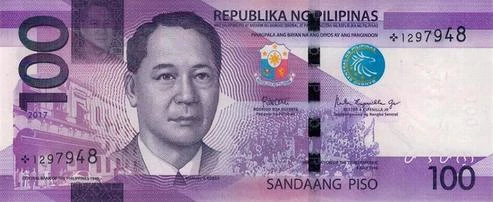
Summer Music Festival 2025
Jun 14, 2025 · SM Mall of Asia Arena
Ticket Booth hero (3:1)

Himaya: A Filipino Music Festival
Jun 21–22, 2025
Color Treatment
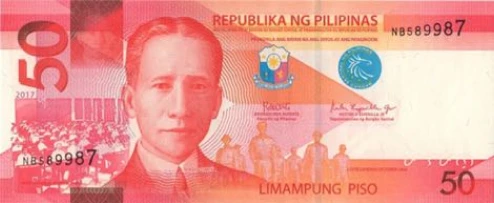
Natural
No overlay — preferred for cards and thumbnails
Brand Overlay
bg-brand-950/50 — for dark hero sections
Event name
Location
Gradient Fade
Bottom-to-top — for text legibility on photos
Technical Specifications
| Context | Min Width | Min Height | Ratio | Format |
|---|---|---|---|---|
| Event thumbnail | 800px | 450px | 16:9 | WEBP, JPEG |
| Ticket Booth hero | 1200px | 400px | 3:1 | WEBP, JPEG |
| Blog header | 1200px | 630px | 2:1 | WEBP, JPEG |
| Social share (OG) | 1200px | 630px | 1.91:1 | WEBP, JPEG |
| Profile avatar | 200px | 200px | 1:1 | WEBP, PNG, JPEG |
Promo Assets
Graphics for marketing Typid and helping organizers promote their events — social cards, banners, and shareable templates.
Format Sizes at a Glance
OG Card
Hero Banner
Social 16:9
Story 9:16
Square
OG / Social Share Card Preview
Himaya: A Filipino Music Festival
Jun 21–22, 2025 · Araneta Coliseum, Quezon City
1200 × 630px · Event name: display-xs-semibold · Date/location: text-sm-medium brand-300
Asset Specifications
Event Social Share Card (OG)
Auto-generated when event is published. Appears when Ticket Booth link is shared on social.
- Event cover photo — full bleed
- brand-950/70 overlay
- Typid logo — top left, 24px height
- Event name — display-md-semibold, white, bottom left
- Date + location — text-sm-medium, brand-300, below event name
Ticket Booth Hero Banner
Header image on each event's public page. Subject must be centered — edges are cropped on mobile.
- Event photo — full bleed, object-cover
- Gradient fade bottom-to-top for text legibility
- Event name overlaid at bottom if used decoratively
Feature Social Card (16:9)
Used by Typid team for marketing posts announcing features or updates.
- bg-brand-gradient or brand-950 background
- typid-logo-white.svg — top left
- Primary headline — display-sm-semibold, white
- Sub text — text-md, brand-300
Story Format (Vertical)
Instagram and Facebook stories. Keep key content within central 1080 × 1350px safe zone.
- Full-bleed photo or brand background
- Safe zone: central 1080 × 1350px
- Logo + event name in safe zone
Square Post
Instagram feed and Facebook posts.
- Event photo or brand background
- Text within 48px safe margin
Typography on Assets
Keep text 48px+ from all edges.
File Naming
typid-[type]-[context]-[YYYY-MM]

Examples:
typid-feature-checkin-launch-2025-06.png
typid-og-event-banner-template.jpg
typid-story-ticket-launch-2025-06.png
Deliver PNG (master) → WEBP/JPEG for web at quality 85–90%.
Markup
Semantic HTML and accessibility standards for Typid's UI — heading hierarchy, ARIA, landmark roles, and form patterns.
Heading Hierarchy
One h1 per page. Headings cascade without skipping levels.
✓ Correct hierarchy
<h1>Event Dashboard</h1>
<h2>Ticket Sales</h2>
<h3>General Admission</h3>
<h2>Attendees</h2>
✕ Skipped levels
<h1>Event Dashboard</h1>
<h3>Ticket Sales</h3> ← skipped h2
<h2>Attendees</h2>
Semantic ≠ Visual
A heading's tag is chosen by document structure, not visual size.
// h2 with a visually small style — correct
<h2 className="text-sm-semibold text-gray-cool-600 uppercase tracking-wide">
  Ticket Sales
</h2>
Landmark Roles
| Element | Role | Use |
|---|---|---|
<header> | banner | Top navigation |
<nav> | navigation | Sidebar, tabs, breadcrumbs |
<main> | main | Primary page content |
<aside> | complementary | Secondary panels |
<footer> | contentinfo | Page footer |
<section> | region (with label) | Major page sections |
<article> | article | Self-contained content |
Buttons vs. Links
Use <button> when:
- Triggers an action (submit, open modal, delete)
- No URL destination
- JavaScript-only interaction
Use <a> when:
- Navigates to a URL
- Has an href attribute
- Can be opened in a new tab
Never use <div onClick> or <span onClick> as interactive elements — they break keyboard navigation and screen readers.
Common ARIA Patterns
Icon-only button
<button aria-label="Add ticket">
  <Plus className="size-5" aria-hidden="true" />
</button>
Modal dialog
<div role="dialog" aria-modal="true" aria-labelledby="modal-title">
  <h2 id="modal-title">Delete event</h2>
</div>
Error message linked to input
<input id="email" aria-describedby="email-error" aria-invalid="true" />
<p id="email-error" role="alert">
  Please enter a valid email address.
</p>
Loading / live region
<div aria-live="polite" aria-busy="true">
  Loading attendees...
</div>
Image Alt Text
// Informative image — describe the content
<img src={event.thumbnail} alt="Crowd at Himaya Fest 2024, main stage" />

// Decorative image — empty alt, hidden from screen readers
<img src="/wave.svg" alt="" />

// Functional image (inside a link or button)
<a href="/dashboard">
  <img src="/typid-logo.svg" alt="Typid — go to dashboard" />
</a>
Tone of Voice
The character behind every word Typid writes — in the app, in emails, and in marketing.
Clear over clever
Say what you mean. The goal of every piece of copy is comprehension — not to sound impressive, witty, or branded.
Do
Your event is live.
Don't
You've launched your experience into the world!
Do
3 tickets left.
Don't
Limited availability remaining!
Do
Delete this event?
Don't
Are you sure you want to permanently remove this event from your account?
Helpful, not preachy
Give people the information they need to act, then get out of the way. Don't lecture, warn excessively, or add qualifiers where they aren't needed.
Do
Add a description to help attendees understand your event.
Don't
Please make sure to add a detailed description so your attendees can fully understand what your event is about.
Do
Sold out.
Don't
Unfortunately, all tickets have been sold.
Do
Unpublished.
Don't
Warning: This event is not visible to the public.
Warm but professional
We're friendly — but this is a business tool managing real money and real attendees. Feel like a capable colleague, not a bot with exclamation points.
Do
Let's set up your first event.
Don't
Woohoo! Let's get started! 🎉
Do
No attendees yet.
Don't
Looks like nobody's here yet! 👀
Do
Something went wrong. Try again.
Don't
Oops! There was a little hiccup.
Confident without jargon
We know what we're talking about. We don't hedge or over-explain. But we also don't use technical or industry jargon that excludes newer organizers.
Do
Create a free ticket type.
Don't
Instantiate a complimentary tier within your ticketing schema.
Do
Set up payouts.
Don't
Configure your disbursement pipeline.
Do
Your sales total is ₱12,500.
Don't
Your gross revenue for this event period is ₱12,500.00 PHP.
Tone by Context
The core character stays the same — clarity, warmth, confidence — but the level of warmth and brevity adjusts based on context.
| Context | Tone Adjustment | Example |
|---|---|---|
| Onboarding | Slightly warmer, encouraging | "Start with the basics — you can always add more later." |
| Error states | Calm and solution-focused | "That didn't work. Check your connection and try again." |
| Success states | Affirming, brief | "Event published." |
| Destructive actions | Direct, clear consequence | "This will permanently delete the event and all its data." |
| Empty states | Helpful, action-oriented | "No tickets yet. Add your first ticket type to get started." |
Grammar and Style
Writing rules specific to Typid — applying consistently across UI labels, emails, and marketing copy.
Capitalization
UI Labels — Sentence case
Do
Create event
Don't
Create Event
Do
Add ticket type
Don't
Add Ticket Type
Do
Save changes
Don't
Save Changes
Product Terms — Title Case
- Ticket Booth (always)
- Check-in (hyphenated, capital C)
- Ticket Design, Raffle
Punctuation
- Use the Oxford comma: "tickets, attendees, and payouts" ✓
- No periods at end of labels or button copy
- Full sentences in descriptions get periods
- Em dash — no spaces — for asides: "Event published — ready to sell." ✓
- Use proper ellipsis (…) not three periods (...)
- Curly apostrophes (') not straight (')
Dates and Times
Date formats
✓ Jun 14, 2025 — recommended for UI
✓ 14 June 2025 — formal / emails
✗ 06/14/25 — ambiguous, avoid
Time format (12-hour)
✓ 7:00PM
✗ 7:00 PM — space before AM/PM
✗ 19:00 — 24hr, UI only
Currency
✓ ₱1,500.00
✓ Free — for ₱0
✗ ₱ 1500 — space
✗ PHP 1,500 — exports only
- Symbol directly before the number, no space
- Comma thousands separator: ₱12,500.00
- Always two decimal places for currency
- Display "Free" not "₱0" for no-cost tickets
Numbers
- Always use numerals in UI: "3 tickets", "42 attendees"
- Comma as thousands separator: 1,000 / 10,000
- Percentages no space: 12%, 100%
- Two decimals for currency only — counts are whole numbers
- Do not spell out numbers in UI copy
Error Messages
Structure: (1) what went wrong + (2) what to do.
Vocabulary
The canonical product terminology. When in doubt about what to call something, check this table first.
Canonical Terms
| Use This | Not This | Note |
|---|---|---|
| Ticket Booth | Storefront, event page, shop | The public-facing event page where tickets are sold |
| Check-in | Check in, checkin, sign-in, validation | Hyphenated noun/adjective. Two words only as verb. |
| Attendee | Guest, participant, ticket holder, registrant | Individual person attending the event |
| Buyer | Customer, purchaser, client, patron | Person who purchased tickets (may buy for multiple attendees) |
| Event | Show, gig, function, affair | Capitalized in UI labels |
| Ticket type | Ticket tier, ticket category, pass type | A single type of ticket (e.g., VIP, General Admission) |
| Ticket | Pass, entry, voucher | Individual ticket issued to an attendee |
| Organizer | Host, admin, event creator, promoter | Person running the event on Typid |
| Dashboard | Admin panel, backend, control panel | The organizer's management interface |
| Planning | Budget planner, event planner | The budget and checklist management section |
| Evaluation | Analytics, financials, report | The income and expenses summary section |
| Payout | Transfer, withdrawal, disbursement | Money sent from Typid to the organizer |
| Publish | Launch, go live, activate, release | Making a Ticket Booth visible to the public |
| Unpublish | Deactivate, hide, take offline | Removing from public view without deleting |
| Delete | Remove, erase, destroy | Permanent removal |
| Coupon | Discount code, promo code, voucher code | Code for ticket price discount |
| Affiliate code | Referral code, partner code | Code for tracking referral sales |
| Raffle | Draw, lottery, contest | The in-event raffle feature |
| Collaborator | Co-organizer, team member, staff | Another user with access to manage an event |
| Merch | Merchandise, products, items | Add-on physical items sold with tickets |
| Sold out | Fully booked, unavailable, closed | When capacity is reached |
| Capacity | Maximum, limit, slots, seats | Total tickets available |
Status Labels
| State | Label | Do Not Use |
|---|---|---|
| Ticket Booth is live | Published | Active, Live, Open |
| Ticket Booth is hidden | Unpublished | Inactive, Draft, Hidden |
| Event has ended | Past | Closed, Finished, Completed |
| Attendee has checked in | Checked in | Arrived, Verified, Scanned |
| Ticket fully sold | Sold out | Unavailable, Full, Closed |
| Payment received | Paid | Confirmed, Settled, Cleared |
| Payment pending | Pending | Awaiting, Processing |
| Payment failed | Failed | Declined, Error, Rejected |
Action Copy (Buttons & Menus)
Do
Create event
Don't
New event / Add event
Do
Add ticket type
Don't
Create ticket / New ticket
Do
Publish Ticket Booth
Don't
Go live / Launch event
Do
Check in attendee
Don't
Validate ticket / Scan attendee
Do
Delete event
Don't
Remove event / Erase event
Do
Export attendees
Don't
Download list / Get CSV